
CRM
Keep customer relationships under control


 Help
Help
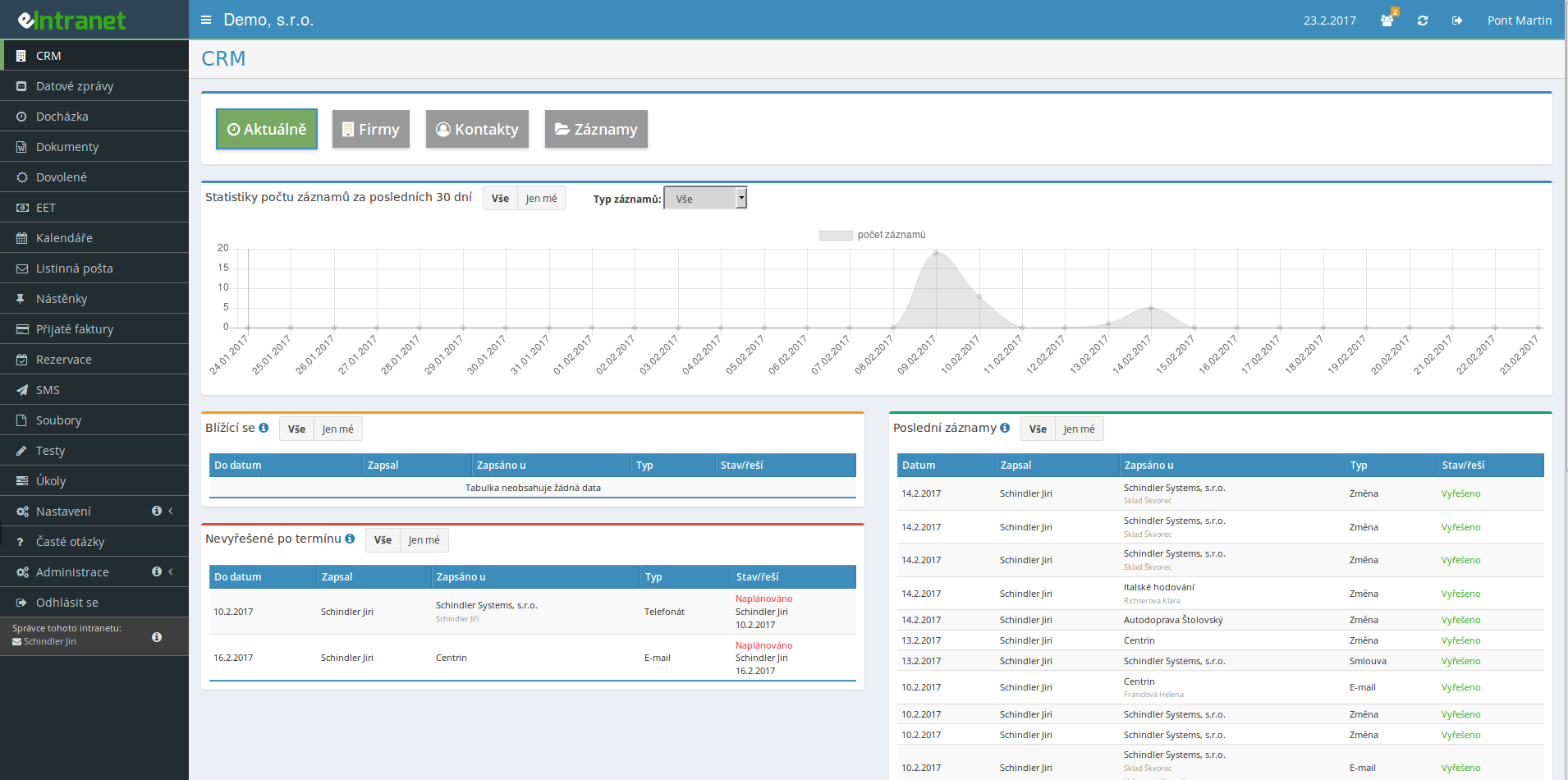
Keep customers, suppliers and partners in one place. The CRM module ties companies, their branches and contact persons into a single clear system where the whole history of cooperation is visible at a glance.
Add a note or a task with a due date to any company or contact. Nothing slips through – the CRM calendar watches upcoming deadlines and flags overdue tasks.
Send a business message or news to a whole group of contacts. The mailing wizard guides you in seven steps and saved templates speed up repeat campaigns.
Add up to seven custom fields to companies, branches and contacts, and adjust the lists of types, statuses or industries. The CRM adapts to how you work, not the other way around.
Fill in a new company automatically from the ARES business registry. Need to populate the database fast? Import up to 100 companies at once from Excel and save hours of retyping.
What you can use the CRM module for
-
Unified register of companies and branches
Keep the head office, sites and warehouses of one company under a single card with an overview of all locations.
-
Contact persons with roles
Assign specific people to each company or branch, including their position and form of address.
-
Calendar of sales tasks
See meeting and follow-up deadlines in the calendar and in the list of upcoming records.
-
E-mail templates for campaigns
Save frequently sent texts once and simply pick them for the next mailing.
-
Sales activity statistics
A 30-day chart shows who logged how many records and how customer communication is growing.
-
Granular access rights
Each salesperson sees only their own companies, or you grant full access to the whole database.
-
Export to XLSX and REST API
Export data to Excel or connect it to other systems through the open REST API.
Connections with other modules
CRM is the hub of the entire sales process – companies and contacts flow across eIntranet from the first request all the way to the invoice.
CRM – a customer relationship management system in eIntranet.net allows you to have all contacts, history, and communication in one place. Simplify business processes and increase client satisfaction with a clear and flexible solution.
Key features and benefits:
- Contact records: Store information about companies, their employees, branches, and key contacts – all in one profile.
- Meeting and task tracking: Schedule meetings, phone calls, and follow‑up actions without wasting time on manual entry.
- Email communication: Send emails directly from the CRM and track opens or replies – get a quick overview of campaign effectiveness.
- Customizable fields: Adapt data structure to your business’s specific needs, e.g., sales stages, segments, or internal metrics.
- Easy integration: The CRM is part of the complete ERP/intranet platform, so no data remains isolated and you can immediately use information in accounting, inventory, or HR.
Try eIntranet.net and achieve a 20 % faster deal closing rate, reduce data entry errors by 30 %, and gain full control over customer relationships. Join us today and transform your sales process!
Frequently asked questions
Yes, bulk import of companies is possible in the Companies section, using the sample excel that is available. It is always possible to import a maximum of 100 companies at a time.
is active for users with an extra tariff, others must copy the filtered and displayed addresses to their e-mail client and send from it.
Registration is non-binding and includes a free 14-day trial of the application.