

 Slovak
 Hungarian
 Polish
 German
 Spanish
Customer records
Simple customer records you set up in minutes
 Help
Help
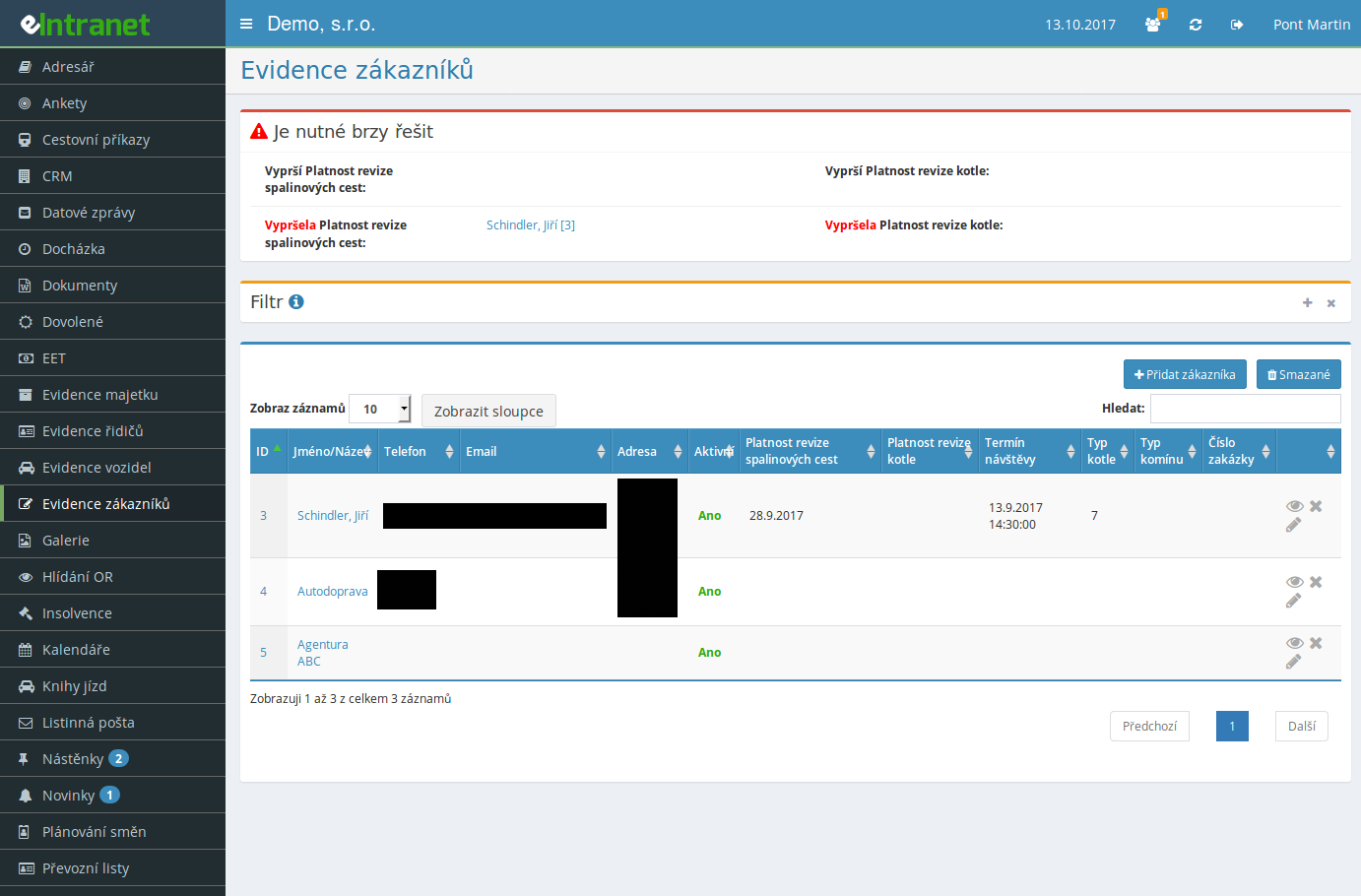
Keep electronic customer records without any complex setup. The module is a lighter alternative to a full CRM. Contacts, addresses and any extra details about each customer stay in one place, so you find your way around them quickly.
Every business tracks something different about its customers. Set up your own date, text and file columns – up to three date fields, five short and three long text columns, plus space for attachments.
An expiring contract, certificate or inspection will no longer slip past you. Switch on alerts for date fields and choose how many days ahead to warn. Selected users receive an e-mail and upcoming deadlines show right on the home screen.
The customer detail shows an overview of work done, including time, travel and other costs. One button creates a new report with the order pre-filled, so you easily see how much serving a particular customer costs you.
What you can use customer records for
-
Contacts in one spot
Name or company, phone, e-mail and address sit together. The address links to a map and the e-mail sends a message in a single click.
-
Notes and communication history
Add notes with attachments to any customer. Entries line up by date and author, so you can trace what was agreed.
-
Documents on the record
Drag contracts, certificates or photos straight onto the customer. From the detail you then download them as buttons with one click.
-
Colour-coded expirations
Records with a past date turn red in the table. What needs attention soon and what has already lapsed is clear at a glance.
-
Filtering by status and city
Filter active or inactive customers, or show only those from a given city. Full-text search finds a record by any value.
-
Export to Excel
Download the currently shown records to Excel with a single button, custom columns included. You can adjust which columns stay visible.
Connections with other modules
Customer records do not stand alone and link up with other parts of eIntranet.
Software for electronic customer records simplifies the management of corporate clients and integrates directly with the work report module—eliminating the need for manual data copying.
Key features and benefits:
- Configuration of optional fields tailored to your company’s specific requirements—add contact details, internal codes, or notes without database modifications.
- Automatic monitoring of contract and invoice expiry dates—early alerts for renewals or expirations increase client satisfaction and reduce payment delays.
- Simple work report generation for each customer—export to Excel or generate a direct system report, saving time spent on invoicing.
- A centralized database with filtering by region, project, or status—quickly find the information needed for business meetings or internal analysis.
Use the customer record module and reduce client management time by 30 %—try it today and see the difference in everyday operations.