

 Slovak
 Hungarian
 Polish
 German
 Spanish
Offers
Keep your customer offers under control
 Help
Help
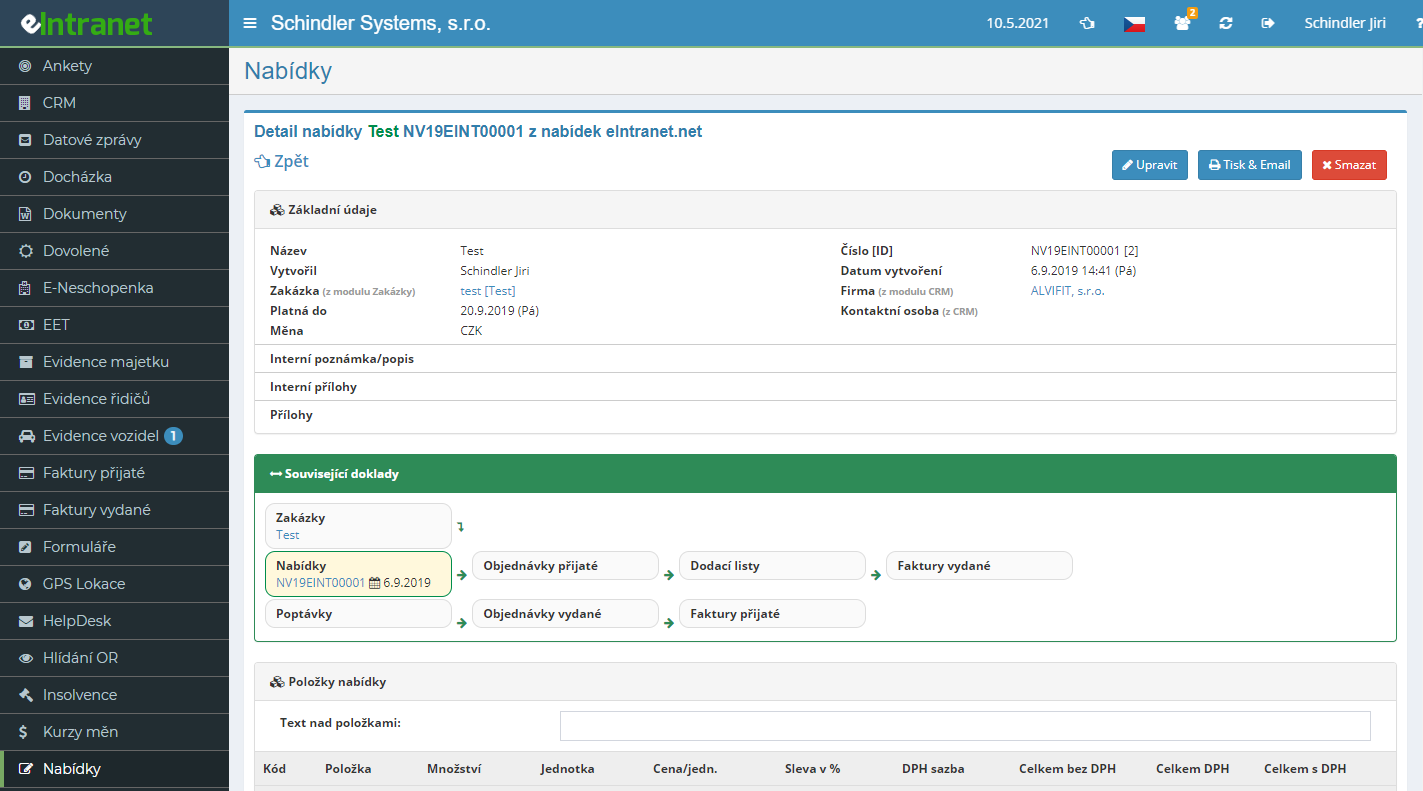
Build a price offer from line items, add quantities, prices, discounts and VAT rates, and the system keeps totals both with and without VAT up to date. The finished offer goes straight into electronic records and stays at hand whenever you need it.
Generate a PDF from any offer using your own template and send it to the customer by e-mail right away. Pick the document language and the print variant, for example with item images or customs codes.
The customer approves or rejects the offer directly from the e-mail. Once approved, the date, IP address and signature are stored, so you hold clear proof of what was agreed.
Once the customer says yes, convert the offer into a received order or a demand with a single button. Items and details carry over on their own, with nothing to retype.
What can the offers module do for you?
-
Items from products and stock
Add free lines, catalogue products or items pulled straight from the warehouse. Prices can be raised or lowered in bulk by a set percentage.
-
Divisions with their own numbering
Split offers into divisions, each with its own numbering series, supplier details, logo, bank accounts and PDF templates.
-
Budgets with profit calculation
For larger projects, build a detailed budget in groups, set the profit percentage and export everything to Excel.
-
Customer demands straight into the module
A customer sends a request to your designated e-mail address and it lands right among the offers, ready to be turned into a quotation.
-
Success rate statistics
Track how many offers ended in an order and compare results by year and by salesperson.
-
Note history with attachments
Log notes about negotiations with the customer for every offer and attach files by dragging them into the window.
Connections to other modules
The offers module draws data from other parts of eIntranet and passes it along through the whole sales process.
Offers – creating and electronically tracking offers allows you to quickly prepare professional PDF offers, deliver them immediately to customers, and monitor their success in real time. The module is designed to simplify the entire sales cycle from creation to closing.
- Fast offer creation – templates and automatic price calculations save you an average of 30 % of document preparation time.
- Offer groups – organize offers by product, region or seasonal campaigns and gain clear statistics on conversion rates.
- Email integration – receive requests directly into the module from email, eliminating manual data entry and reducing error risk.
- Online approval – customers can approve an offer using a secure link; your billing system updates automatically.
- Statistics and analytics – tracking offer success by year, department or salesperson supports strategic decision making.
Add the Offers module to your ERP and see how quickly sales increase and administrative costs decrease. Try it today!
Frequently asked questions
You can edit the signature by clicking on your name in the top right corner and then clicking on Edit signature in email.
You can also add an image/your logo to the signature using the image icon in the toolbar.
Registration is non-binding and includes a free 14-day trial of the application.