

 Slovak
 Hungarian
 Polish
 German
 Spanish
Shift planning
Keep shift staffing firmly under control
 Help
Help
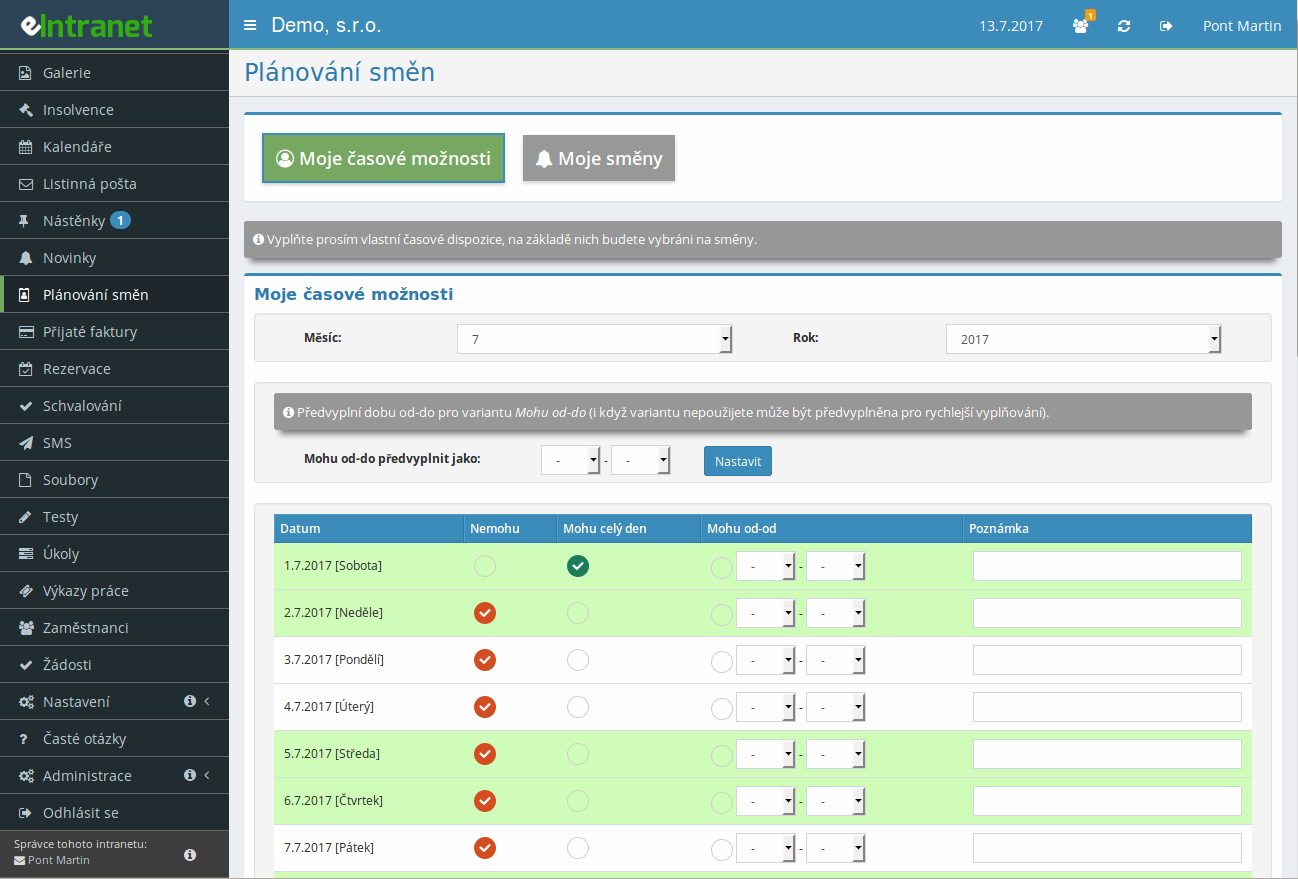
Build a shift schedule, set the positions and headcount you need, and fill them by real availability. Alongside employees you can plan cars, classrooms or any equipment a given order calls for.
Each worker marks for individual days when they can and cannot work. The planner then picks only from people who are free at that time, with nothing to track down by hand.
When you staff a shift, the system itself offers the people and equipment available on that date. Just choose from the list of free users and the assignment is done.
Once a shift is filled, send everyone assigned a message with a single button. Each person knows right away when and where to show up.
What you can use shift planning for
-
Your own technical resources
Define cars, classrooms, projectors or laptops and set their availability. A shift then carries not only the people but also the gear the job requires.
-
Several shifts in one day
As long as the times do not overlap, an employee or a resource can be booked on two shifts in a day. Ideal for morning and afternoon blocks.
-
Prepare shifts before publishing
Draft a schedule in a separate section that ordinary staff cannot see. Mark a finished shift as planned and only then does it appear to everyone.
-
A personal shift overview for everyone
In their own section, an employee finds when and where they are booked, including colleagues and equipment on the same shift. Past and upcoming dates can be filtered.
-
Rights by role
Five permission levels separate regular workers, equipment managers, planners and module administrators. Each person sees and edits only what fits their task.
-
Excel export and change history
Export the shift schedule to Excel for further work. For both time availability and shifts you can also trace who made which change and when.
Electronic Online Shift Planning System – a fast and accurate tool that lets you optimize staffing for all shifts while saving time and money.
Planning human and technical resources (vehicles, computers, projectors) is now easier than ever. With our module:
- Define your own technical resources and assign them to specific shifts without manual intervention.
- Sign up for multiple shifts in a single day is possible thanks to an intuitive interface that eliminates duplicates and calendar overload.
- Take user working hours into account – the system automatically selects available staff based on set time options.
- Create reports and statistics that show you resource utilization, identify bottlenecks, and support capacity reconfiguration decisions.
- Integration with the eIntranet.net ERP system ensures synchronization of all data – no manual entry and minimal errors.
This tool can reduce shift planning time by 40 % while increasing employee satisfaction through clearly defined time options. Try online shift planning today and streamline your business operations.