

 Slovak
 Hungarian
 Polish
 German
 Spanish
Business Register monitoring
Keep your partners in the register under constant watch
 Help
Help
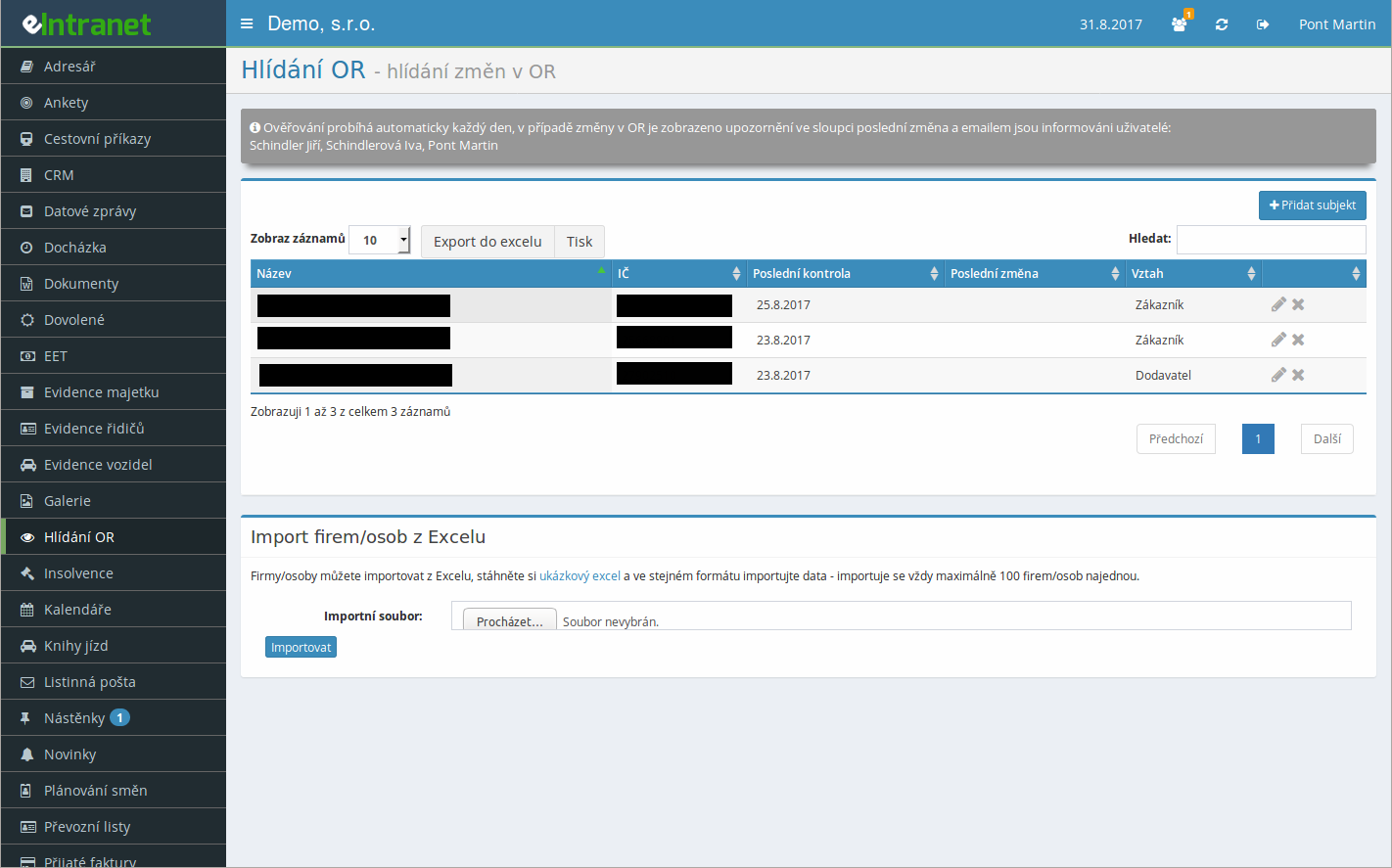
The module monitors the Czech Business Register for the companies you choose and checks their records daily against the public ARES registry. The moment something changes at a watched company, you find out before it catches you off guard.
A new director, a moved registered office, a different shareholder? The system e-mails every authorised user. The message shows which section changed and links straight to the company detail in ARES.
The watch covers addresses, statutory bodies, shareholders, business activities, legal form and registered capital. No meaningful change at your partners slips past you.
Dozens of companies to keep an eye on? Upload them all at once from a prepared Excel file. Just fill in the company ID and the relationship - the system pulls the rest of the data from the register itself.
What you can use the business register watch for
-
Changes at business partners under control
Track suppliers, customers and competitors, and react to register changes in time.
-
Daily automatic check
A scheduled task runs through the watched subjects every day, so you never have to think about it.
-
Categorise by relationship
Tag companies as suppliers, customers or competitors and keep your list well organised.
-
Direct link to ARES
One click takes you to the full company detail in the public register.
-
Old versus new values compared
The notification shows exactly what changed - no tedious digging through the register.
-
Export and print the list
Export your watched subjects to Excel or print them as an overview whenever you need.
-
Notifications only for selected users
Only people with the right permission receive change e-mails; everyone else keeps a quiet mailbox.
Commercial Register – Automatic Change Monitoring is a key tool that ensures you receive instant alerts for every update in the Commercial Register (CR). This allows you to quickly respond to changes in directors, registered offices, or corporate legal relationships and always have up-to-date information.
What exactly does this module bring to you?
- Automatic tracking – without manual searching, the system regularly queries new entries in the CR.
- Email notification – with every change you receive an immediate alert, eliminating the risk of unknown alterations.
- Centralized information management – all records are stored in eIntranet.net’s internal database, making them easily searchable and connectable to other modules (CRM, HR).
- Reduced administrative burden – automation saves the time that would otherwise be spent manually checking the CR.
- Security and compliance – regular updates ensure compliance with legal requirements and minimize the risk of sanctions.
Don’t stay on outdated information. Try Commercial Register monitoring in eIntranet.net and get an instant overview of changes that affect your business.
Frequently asked questions
The changes in selected entities are checked gradually, but you should be informed about any change within about 3 working days.
However, the condition is that the change must be published in the register online (there may be a time delay between the entry in the register and the publication online).
Registration is non-binding and includes a free 14-day trial of the application.