
Vacations
Keep leave usage under control


 Help
Help
Employees submit a leave request right in the system and supervisors approve or reject it. You can even request time off on behalf of a colleague and pick from leave types: vacation, doctor, unpaid leave, paid leave or sick day.
Each request lands with the person in charge, who makes the call. Need tighter control? Switch on two-round approval with a final approver and no time off slips past management.
Once leave is approved, it writes itself into the employee's attendance. No double data entry, no risk that an approved day off gets forgotten in the timesheet.
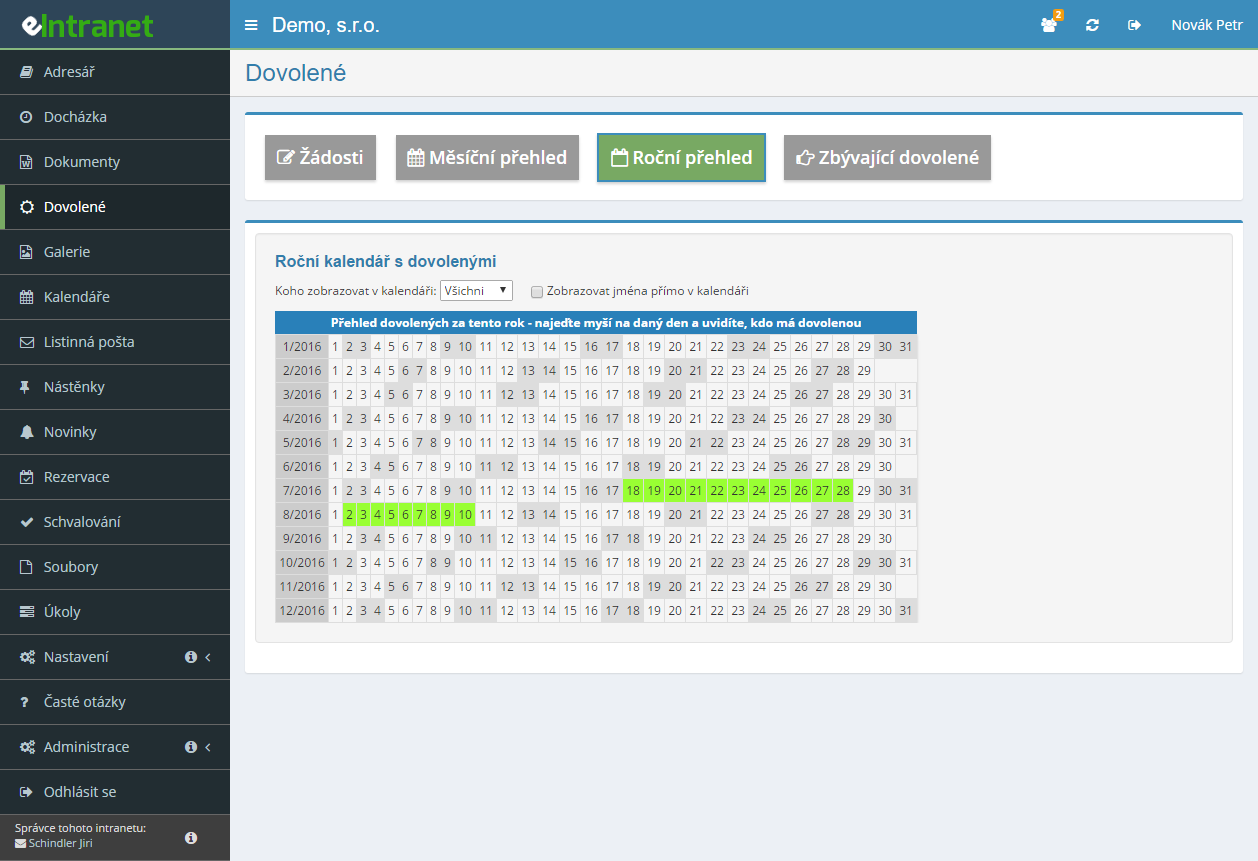
The calendar shows who is off and when, and the yearly summary makes company-wide usage clear. For every employee you see the remaining leave with no manual counting.
What you can use the leave module for
-
Tracking in days or in hours
Record leave the way that suits you. On the first and last day choose a full day or half day, or enter the exact number of hours and a part of the shift.
-
Requests on behalf of others
An HR officer or team lead can enter time off for a colleague who cannot reach the system right now. It also handles company-wide shutdowns.
-
Conflict detection within the team
Before approving, you see who else is off during that period. That makes it easy to avoid leaving a department empty.
-
Five leave types as needed
Vacation, sick day, doctor, unpaid and paid leave. Each type has its own record, so the overviews never blur together.
-
Export to Excel and CSV
Download monthly overviews with a single button and hand them over to payroll or process them further in spreadsheets.
-
E-mail notifications on status
Both the applicant and the approver get a message on every change. Nobody has to chase whether a request has been handled.
-
Rights that match each role
From simply requesting your own time off to managing leave across the whole company. Approval rights can be assigned to supervisors straight from the employee hierarchy.
Electronic leave requests and approvals is a key tool for efficient personnel resource management. It allows employees and managers to submit, track, and approve vacation simply without paperwork.
Main features and benefits:
- Submit a leave request – including the option to submit leave on behalf of other employees, eliminating manual email forwarding.
- Online approval by supervisor – automatic notifications and a fast approval process accelerate accountability and reduce administrative time by up to 30 %.
- Automatic entry into the attendance system – once approved, leave is automatically updated in the system, eliminating human‑factor errors.
- Thorough records and overviews – monthly and annual reports ensure transparency and support workforce capacity planning.
- Flexible types of leave – vacation, medical leave, unpaid/paid leave or sick days are easily configurable according to company policies.
By implementing this module, you will reduce leave request processing time by 50 % and minimize the risk of errors in leave tracking. Try eIntranet.net today and save time and money on administration!
Frequently asked questions
Yes, the Vacations module accepts half-day requests. The system works with half days automatically if the applicant has a full-time contract. With any other contracted hours and requests submitted in days, the applicant has to ask for a whole day and the approver can shorten it when approving the request.
If requests are submitted in hours, the contracted hours make no difference.
When a new leave request is entered, the relevant approver is notified about it by e-mail. The message contains the request details and Approve and Reject buttons, so the decision can be made without logging in.
The applicant is informed about the approval or rejection of their leave by e-mail. In the case of rejection, the message also contains the reason the approver entered.
Yes. In the module settings the administrator can specify further application users who will receive the information about a given employee's approved leave by e-mail.
At the start of a new calendar year you have to set the current number of leave days for each employee for the new year in Settings, Vacations tab.
If leave is also carried over from last year, that leave has to be added manually – it does not happen automatically.
Yes. Once leave is approved for an employee, the information is written into their attendance records automatically. With two-round approval this happens after the second, final approval.
Yes. In the Vacations module settings you can switch the module so that leave requests are submitted in hours rather than in days. In hour mode the request shows a table of working days with a field for the number of hours for each day, and part of a shift can be selected as well.
Yes, that is possible – you can enter, for example, a half-day doctor request and a half-day vacation request for the same day.
If the option that fills the other half of a half-day leave with work is active in the module settings, you first have to enter and approve the doctor request and only then enter and approve the vacation request.
The system blocks requests above the limit – the Save button stays disabled. The administrator can, however, switch on the option allowing a negative balance for individual types of leave, and then a request above the entitlement can be submitted.
Each employee's remaining entitlement is visible on the Remaining vacation tab.
Yes. On approved leave a cancellation dialogue opens where you enter the reason and choose whether you are cancelling the whole leave or only part of it. For a part you enter a date range within the original leave.
The attendance records are adjusted accordingly. An employee without approval rights thereby submits a cancellation request that the approver has to confirm.
Every request offers the Conflicts feature. It shows a table with the individual days of the planned leave and a list of colleagues who are off on the same day. The legend distinguishes approved leave, leave approved in round 1 and requests still awaiting approval.
For a company-wide view use the Monthly overview tab.
Yes, if you have been granted that right. The module settings define, in the section for submitting requests on behalf of others, which specific employees a given user may file for. It is useful for staff without computer access and for company-wide shutdowns.
The button for submitting a request appears only after you select an employee in the filter.
A request must always fall within a single calendar year, because the annual entitlement is recorded per year. Leave from 27 December to 3 January is therefore entered as two separate requests.
If the Save button does not respond even for a request within one year, check the displayed total of days or hours against your entitlement.
From the Monthly overview tab you can download the leave overview as XLSX or CSV. The Excel file has employees in rows, days of the month in columns, leave types colour-coded and a total in the last column. The CSV is meant for import into payroll systems and contains the employee's personnel number, cost centre and the number of days and hours.
Downloading overviews is a separate permission granted in the module settings.
Registration is non-binding and includes a free 14-day trial of the application.