

 Slovak
 Hungarian
 Polish
 German
 Spanish
Protocols
Keep your protocols electronic and always at hand
 Help
Help
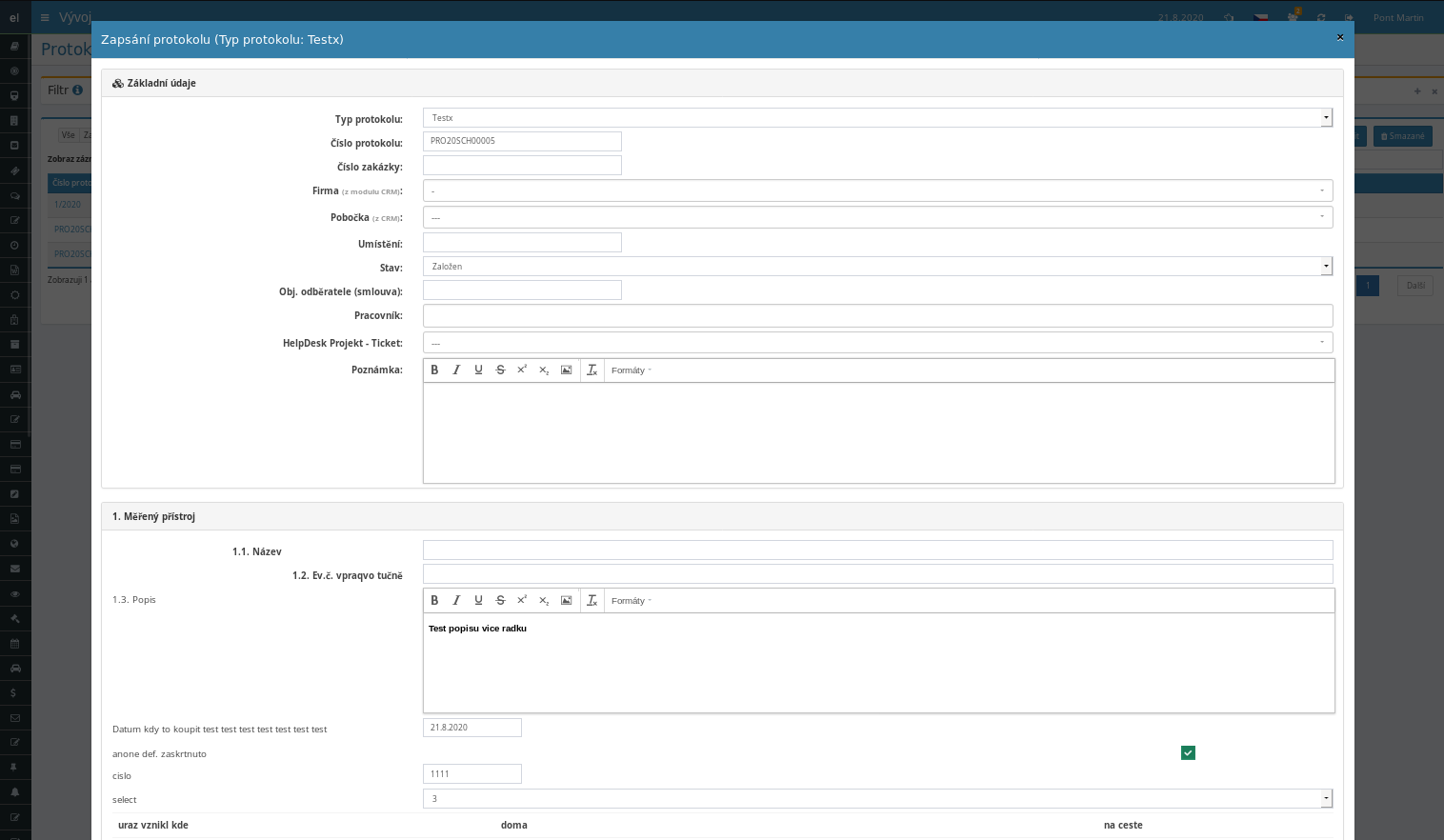
The protocols module replaces paper inspection reports, calibration certificates and meeting records with one shared application. You define the structure of every form yourself, using sections and fields that match exactly how you work.
Assemble a protocol from chapters and fields: single-line text, numbers, dates, drop-down lists, tables and a rich text editor. Each record type gets its own template that you reuse again and again.
Every completed record turns into a polished PDF with a header, logo, signatures and footer. PDF attachments are merged to the end of the document, so your customer receives one complete file.
Upload a scanned signature once, then drop it into a protocol with a single click on Sign. Both the signature and stamp appear directly in the printed version.
Send the finished record to your customer as a PDF right from its detail view. Addresses are pre-filled from CRM contacts, the sender gets a blind copy, and the whole send is logged in the protocol history.
What you can use the protocols module for
-
Automatic record numbering
Each template keeps its own number series with a prefix, year and suffix, such as VP2026SCH0001. You never assign a unique number yourself; it is generated for you.
-
Calculations inside the form
Enter measured values and let a formula work out the average, deviation or anything else. The result is rounded to the precision you set.
-
Link to the asset registry
Pick the measured device from a list and its serial number and other details fill in by themselves. No more retyping technical parameters by hand.
-
Statuses and processing flow
A protocol moves through Created, Submitted and Resolved. Once finished, the record stays locked and protected against accidental edits.
-
Copy for recurring measurements
Don't re-enter a regular inspection from scratch. Copy an older protocol, adjust the values and save it as a new record with a fresh number.
-
Multilingual print output
Choose a language at print time and the protocol's system labels switch to Czech, English, German and more. Ideal for customers abroad.
-
Filters and quick search
Find records by type, year, status and even by your own fields marked for search. The protocol you need is on screen in moments.
-
Attachments and order linking
Drag files onto a protocol, assign a CRM customer, an order number and a HelpDesk ticket. All the paperwork stays in one place.
Fast and efficient recording of work progress reports
The Reports tool from eIntranet.net simplifies the creation, signing, and distribution of documents within a company. With its predefined template system, you can create a measurement, inspection, or meeting report in just a few clicks.
- Standardized form – quickly fill in the required information and ensure a consistent structure across the organization.
- Electronic signature – the protocol processor signs the document directly within the web application, eliminating paper flow and enhancing data security.
- Automatic email delivery – the report is immediately sent to selected recipients with options for reminders and delivery tracking.
- Time savings and error reduction – automatic field completion and input validation minimize human mistakes and cut the time needed to produce a document by 40 %.
- ERP module compatibility – data from reports can be easily linked to other modules (e.g., HR, inventory) for a comprehensive audit trail.
Implement Reports and gain a fast, secure, and digital workflow for work documents—try it today!