
Asset Register
Keep company assets under control from purchase to disposal


 Help
Help
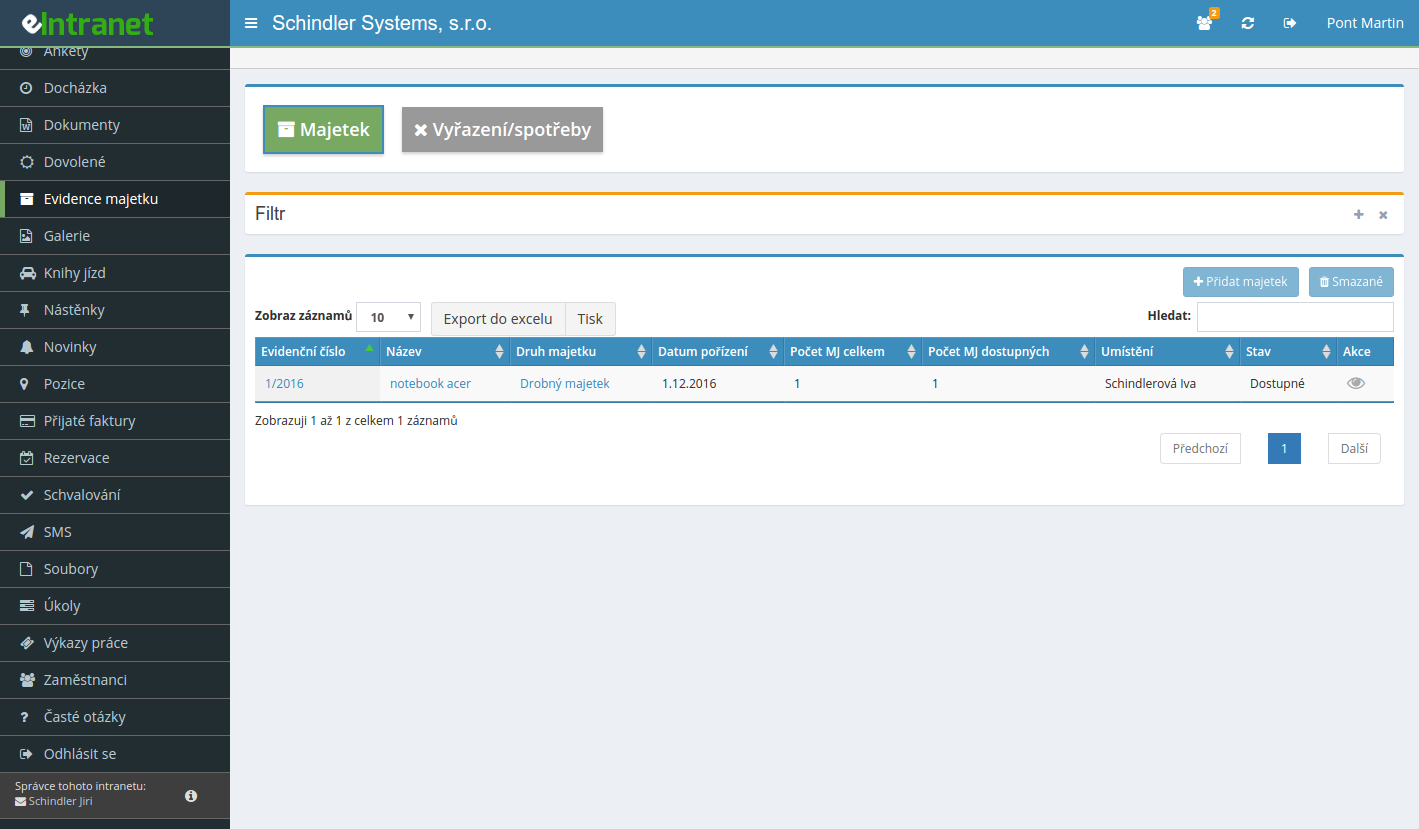
Keep complete asset records with both registration and inventory numbers. Track tangible and intangible fixed assets, low-value items and consumables, so you always know what the company owns and where it is.
Hand a laptop to a new colleague, move equipment to another office or cost centre. Each transfer can require approval and is written into the history, so the trail of who was responsible for what never disappears.
Print QR labels in common formats for A4 sheets and for Citizen or Dymo printers. Just scan the code with a phone and the item detail, its location and transfer history appear instantly.
Define your own audit types, such as electrical inspections or fire extinguisher checks. The system works out the next audit date and warns you before a warranty runs out or a mandatory inspection comes due.
What you can use the asset register module for
-
Custom asset types to match your needs
Split assets into categories and types exactly the way your company works and add custom columns for specific data.
-
Handover protocols for entrusted assets
Generate a handover protocol for borrowed equipment and keep a written record of who took the asset over.
-
Inventory lists for regular checks
Start an inventory run, walk through your assets and compare reality against the records. No more hunting through spreadsheets.
-
Approval of disposals and consumption
Scrapping, selling or consuming assets goes through an approval process, so every step has a clearly named responsible person.
-
Automatic hardware import from HWInfo
The HWInfo desktop app reads computer parameters on its own and you link them to the asset card without retyping data.
-
Excel export and advanced filters
Filter assets by cost centre, type, location or acquisition date and download the whole overview to Excel.
The eIntranet.net electronic asset management system allows you to easily and accurately track all company assets – from office equipment to IT gear. With this module, you’ll have a centralized database that saves time on inventory and reduces the risk of loss.
- Define custom asset types – tailor categories to your business needs and ensure consistent tracking.
- Assign assets to employees – get an instant overview of who is responsible for which device, reducing administrative costs for checks and reviews.
- QR codes for quick scanning – automate asset check‑in and check‑out, cutting human errors by 30 %.
- Transfer protocols and inventory lists – generate documentation on demand, speeding up audit processes and increasing compliance.
- Real‑time asset reviews – schedule and conduct inspections without manual searching, saving up to 20 % of your staff’s working time.
Try the asset management module today and see how it can increase your company’s transparency and reduce operating costs. Register now and start your first inventory check in a few minutes.
Frequently asked questions
Yes, the application administrator can add other asset types as needed in the module settings.
Yes, it is possible to create inventory lists within this module – either by scanning QR codes (only one inventory list must be active at a time, into which the QR code reading of the selected asset is written) or manually.
Yes, it is possible to generate a handover protocol for each item in the Organizer. The generated form can then be signed by the user/employee to whom the property is entrusted.
Yes, even closed transfers/exclusions can be removed - it can be done within 2 days by a user with the highest type of access rights to the module.
However, it is necessary to keep an eye on the changes made by the transfer (they will not return by themselves) and modify them if necessary.
Registration is non-binding and includes a free 14-day trial of the application.