
Projects
Keep every project under control


 Help
Help
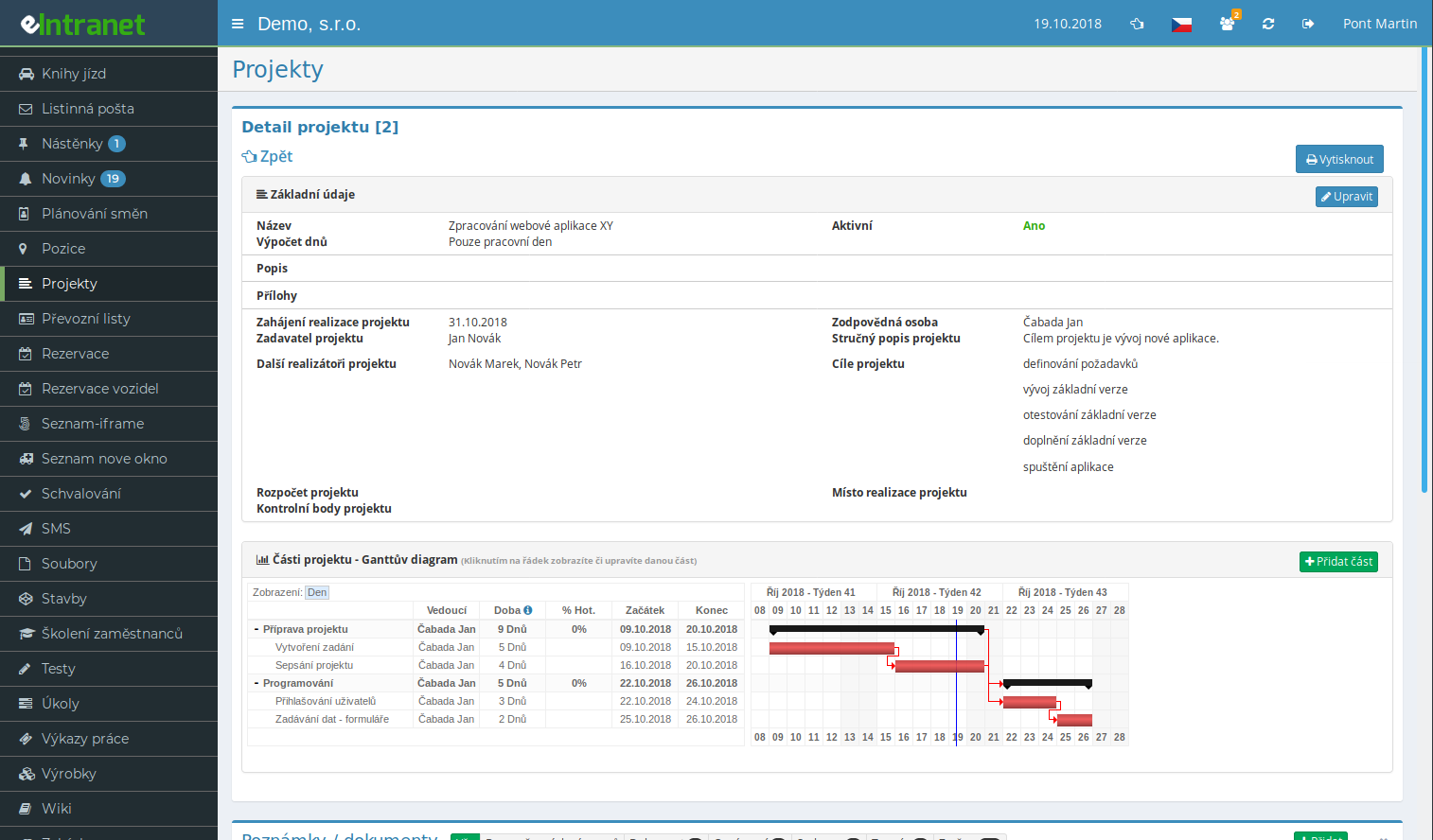
The Projects module brings an entire project onto a single screen. Plan stages, assign owners and track the completion rate of every part as well as the whole project in one place.
See the whole schedule as a clear timeline. Switch between day, week and month views, follow dependencies between stages and use colours to mark what is running, finished or behind.
Split a large project into groups and sub-parts. The progress of a parent group is calculated automatically from its sub-parts, so the overall figure always adds up.
For each project you decide who can view it, who may edit and who can write notes. The team-member mode emails the invitees and grants access only after they confirm the link.
What you can use the Projects module for
-
Tracking deadlines and milestones
Give each part a start and end date and the duration is calculated for you, either across calendar days or working days only.
-
Dependencies between stages
Mark that one part follows another. The Gantt chart draws an arrow and you immediately see what has to finish first.
-
Notes and documents on the project
Keep decisions, issues and attachments right next to the project. Notes can be sorted into types with their own read and write rights.
-
Custom fields tailored to your company
Add fields for budget, priority, order code or a link to a CRM company without writing a single line of code.
-
Copying and project templates
You never set up a recurring initiative from scratch. Copy an existing project including all its parts and simply shift the first stage date.
-
Excel export and printing
Download the current project overview to Excel in one click. Print the project detail together with its Gantt chart or save it as a PDF.
-
Email notifications to members
Tick the email option when adding a note and everyone with access to the project learns what is new straight away.
How Projects work with other modules
The Projects module is no island. It links with other parts of eIntranet, so you enter data only once.
The eIntranet.net project management software is a key tool for planning and tracking tasks in small and medium-sized businesses. With an integrated Gantt chart, you get instant insight into deadlines, responsibilities, and progress, enabling quick responses to changes and minimizing the risk of delays.
- Simple planning – set main and sub-activities in an intuitive interface.
- Progress tracking – visual status indicators and alerts for deviations.
- Team coordination – assign tasks, monitor completion, and ensure deadlines are met.
- Integration with other modules – connect to CRM, accounting or HR for automatic data updates.
- Analytics and reports – generate clear performance reports on projects and identify areas for improvement.
By implementing this module you will save an average of 30 % of time managing projects, reduce errors when entering tasks, and increase customer satisfaction by accurately meeting deadlines. Stop wasting time with manual spreadsheets – get the project module today and elevate your projects to a higher level.