

 Slovak
 Hungarian
 Polish
 German
 Spanish
Issued orders
Keep purchasing in one place, from order to invoice
 Help
Help
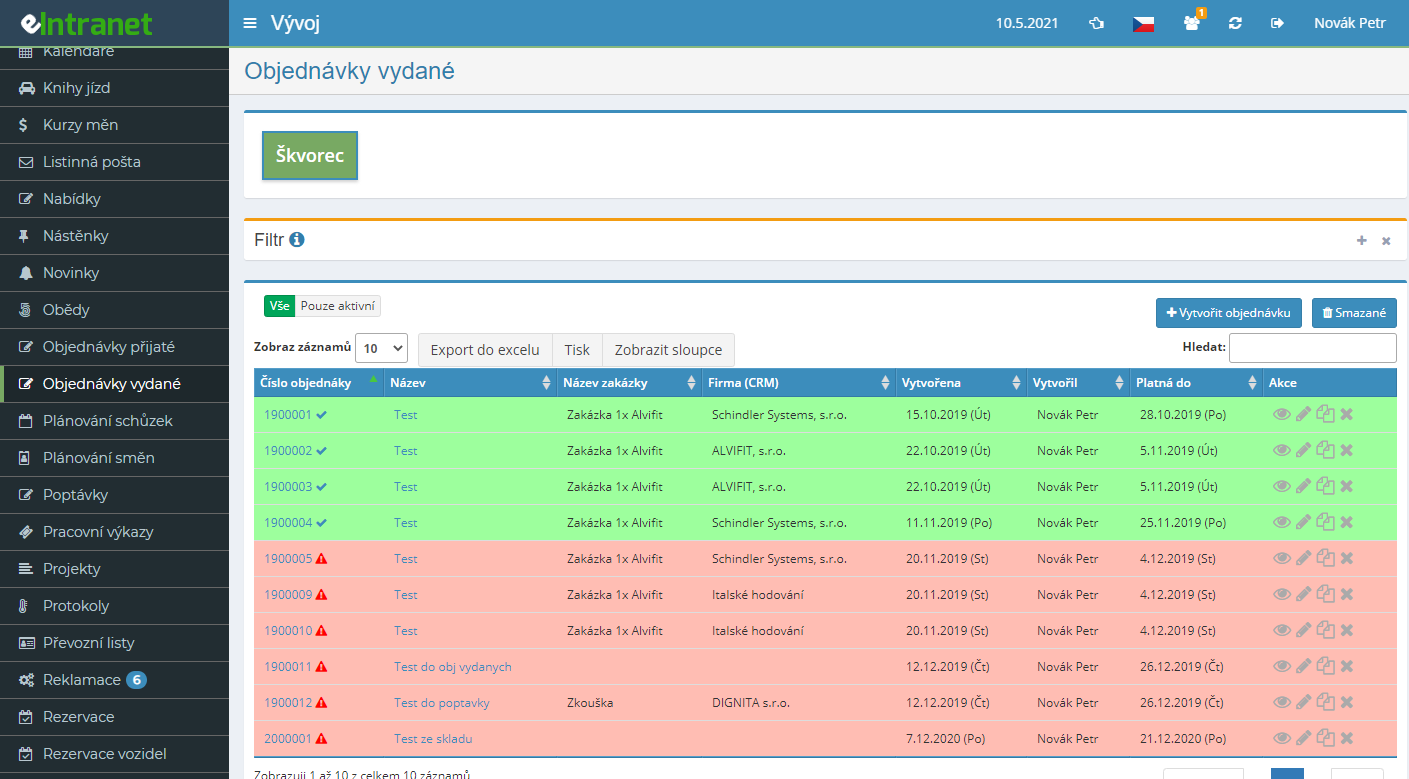
Raise issued orders to your suppliers right inside eIntranet. Every order is numbered automatically from its own division sequence, so you never have to track continuity by hand or tweak prefixes in spreadsheets.
Add blank rows, pull items from the product catalogue or directly from the warehouse. Quantity, discount, VAT rate and customs code recalculate themselves. The Delivered column shows how much has already arrived.
Switch on the approval workflow for larger purchases. The order goes to an approver who confirms it, returns it for edits or rejects it, and the author gets an e-mail. Once approved, the system can dispatch the order on its own.
Generate the order as a PDF in the language you choose and send it to the supplier's contact person together with attachments. A record of the dispatch is written into the notes automatically.
What you can use the issued orders module for
-
Divisions with their own number series
Split materials, services and investments into separate divisions, each with its own logo, bank accounts and ordering-company details.
-
Order statuses at a glance
Follow the life cycle through Active, Delivered, Paid and Rejected. Completed rows turn green, expired validity turns red.
-
Copy recurring orders
Ordering the same goods regularly? Copy the whole order including its items and just adjust the details instead of starting from scratch.
-
Bulk price adjustment
Raise or lower the price of every item by a percentage and round it off in one dialog, with no manual row-by-row rewriting.
-
Excel export and printing
Set your filters, export the selected orders to Excel for purchasing reports or prepare a clean overview for print.
-
Permissions per division
View only for some, creation for others, approval for a few. Access is configured separately for each division and each user.
-
Notes and history
Capture supplier communication and key changes in the notes. Dispatch, status changes and approvals are logged automatically.
Connections to other modules
The issued orders module does not stand alone; it ties into the purchasing and sales processes across eIntranet.
Issued Orders Module allows you to quickly create and electronically record all issued orders within your company. With its simple interface, administrative overhead can be reduced by up to 30 % and the risk of data entry errors is minimized.
- Fast Order Creation – a form with pre-filled fields and the ability to copy old records, saving time for the sales team.
- Group Settings – divide orders by projects, departments or suppliers and obtain tailored reports.
- Electronic Record Keeping – all records are immediately synchronized with your ERP system, eliminating manual entry into multiple applications.
- Audit Trail – every action is automatically logged; this provides a complete history and improves compliance with internal procedures.
- Integration Options – the module seamlessly connects with CRM, accounting and inventory systems, ensuring data flows across the company without duplication.
Enjoy a faster operational cycle and higher accuracy in order recording. Try the Issued Orders Module today and see the difference!