
Employee training
How to keep employee training under control


 Help
Help
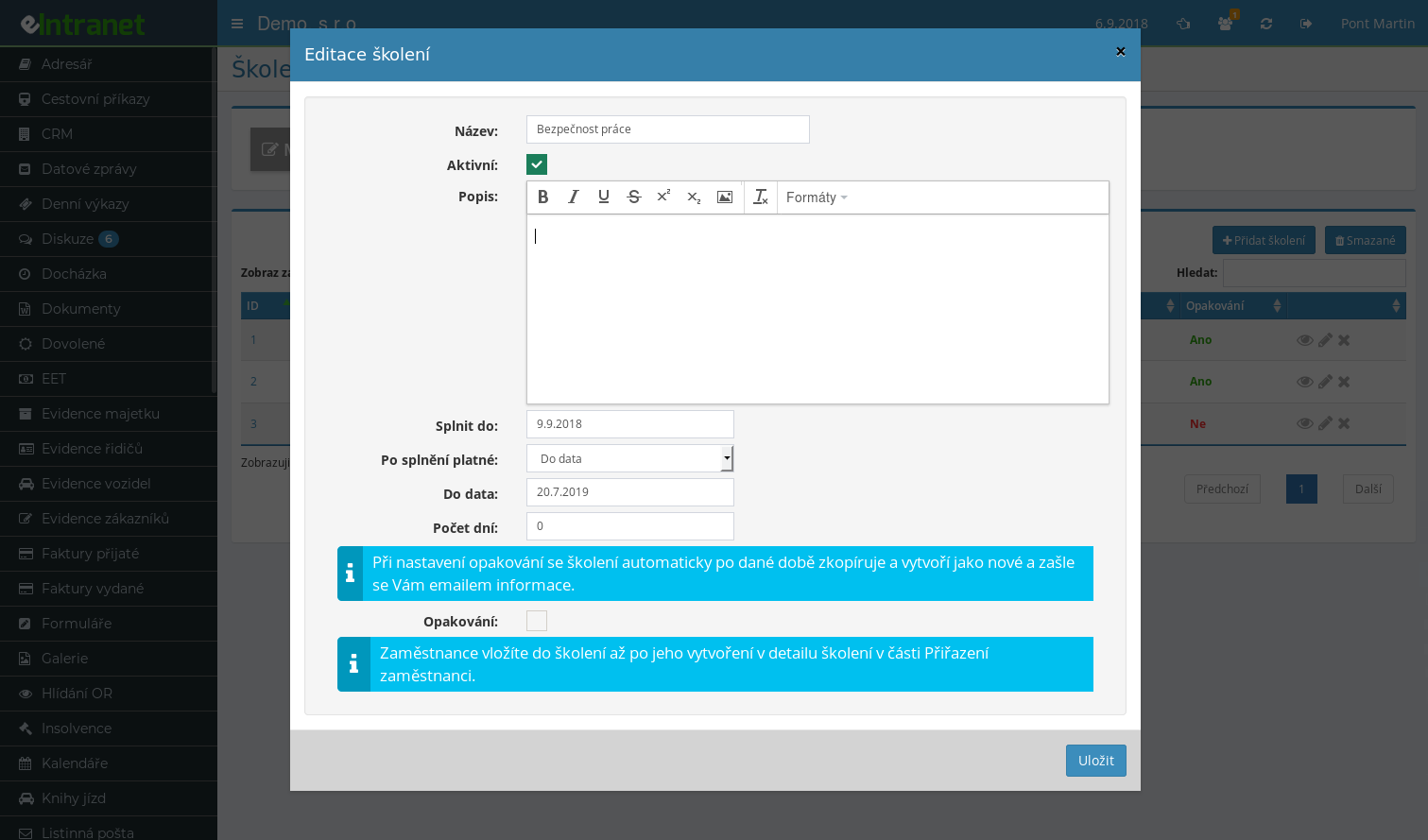
Run employee training in a system that watches deadlines and certificates for you. Plan a course, assign it to specific people or to an entire job position, and see who has already completed it. Records for OSH and professional training stay clear and ready for any audit.
The system flags an upcoming deadline on its own. Employees see a red alert next to courses they need to finish within two weeks. No more missed periodic OSH training or an expired certificate slipping through.
Upload a scanned certificate or confirmation to every completed course. Files stay linked to the right employee, so you can pull them up in seconds when an inspector asks.
Set an interval and the course reassigns itself once the validity expires. Perfect for repeated OSH training, fire safety, or driver refresher courses.
What you can use the employee training module for
-
Planning and assigning courses
Assign training to one person or to a whole job position. New hires then receive mandatory courses automatically, based on their role.
-
Tracking completion status
Color-coded states from Assigned through In progress to Confirmed show at a glance where each person stands.
-
Four ways to confirm attendance
The employee confirms it themselves, a supervisor approves it, the text must be read to the end, or a test must be passed. Pick what fits each course.
-
Matrix overview of all employees
Employees in rows, courses in columns. Missing completions stand out right away.
-
OSH and mandatory training records
Keep proof of who completed occupational safety training and when. When the labour inspectorate calls, your evidence is ready.
Connection with other modules
The training module does not work in isolation; it builds on other parts of eIntranet.
Employee Training Records is a key module of eIntranet.net that allows you to automate scheduling, tracking and monitoring of internal training sessions. Simplify competency management in companies ranging from 10 to 500 employees and ensure compliance with occupational safety requirements as well as other certification standards.
- Course Scheduling: Create training calendars, assign topics and define target groups – quickly gain the necessary competencies.
- Record‑keeping System: Track who is scheduled, who has completed a session or is still awaiting one. All records are centrally stored and displayed in an organized manner.
- Automatic Reminders: Set email alerts or notifications that help reduce delayed training sessions by 30 %.
- Certificates and Tests: The integrated testing module automatically generates certificates upon successful completion – easy archiving and PDF export.
- Reports and Analytics: Gain insight into the progress of individual teams, identify competency gaps and plan next steps with metric precision.
Optimize internal training, improve compliance and reduce administrative burden – try the Employee Training Records module now and find out how quickly you can raise your team's qualifications.
Frequently asked questions
Yes, in Training administration you can attach a whole file while creating a training course, in the documents to read section (up to 10 files at a time, 60 MB in total).
The administrator only sees an icon for the attached file; the actual text is shown to the trainee once the training is started.
If several documents to read are attached, the assigned user sees each text separately and a check-box for confirming that it has been read appears under every text (with several texts, the user has to tick the check-box for each one, otherwise the completed training cannot be saved).
Training reminders are sent between 6-7 a.m.
Yes, but it is an optional feature that you switch on separately for each training type. In the reminder field you enter the number of days before expiry, separated by semicolons, for example 30;14;7;0. As long as the field stays empty, the validity of that training is not tracked and no e-mail goes out.
The mailing is handled by the application overnight, so after switching it on, check with your administrator that it is in the scheduler on the server. The Valid, Expiring soon and Expired states are always calculated in the overviews, even without it.
No. The application has no built-in table of intervals and does not calculate the deadline. You enter both the repetition interval and the validity period of a completed training manually for each training type, according to your own rules and the recommendation of your qualified specialist.
The validity can be set as Unlimited, Until a date or Number of days from completion. The field for tracking an upcoming expiry appears only with the latter two options.
No. Trainings that expired more than 90 days ago are no longer reminded and the record is closed quietly. Exactly so that switching the feature on for the first time in a company with years of history does not set off an avalanche of alerts about long-expired trainings.
The second safeguard is in the cascade itself: only one e-mail is sent, for the most urgent threshold reached. So even after the mailing has been down for several days, several e-mails will not arrive at once.
Yes, if you tick the option for automatic re-assignment after expiry on the training type. The employee then gets a new assignment in the Assigned state, with a due date derived from the number of days allowed for completion on repetition, and receives an e-mail. The confirmation type and the list of approvers are carried over.
Only one new assignment is created, not a series of copies. Without this option ticked, the training is merely marked as Expired and you assign it manually.
Every confirmation is stored with the server time and the IP address of the person who made it. That is something different from the completion date, which the employee enters themselves – the training may have taken place earlier, at an external course for instance. The record of the confirmation is created on the server at the moment of submission and is not rewritten afterwards.
For trainings approved by an authorized person, the record is stored with the approver. For documents to read, confirmation of each individual PDF is recorded separately as well.
No. The server rejects the submission and lists which documents still have to be ticked. This used to be checked by the browser only, so the check could be bypassed.
An honest caveat: the tick for text written directly in the application is still watched by the browser only, the server-side check covers the PDF documents to read. And no software can verify that a person actually read the text – what you can prove is that they clicked. Knowledge is verified by a test from the Tests module.
Yes, removing an assignment is not irreversible. In the Training administration tab, click the Deleted button and switch to the list of removed employee assignments. The recycle icon restores the record together with its state, completion date and validity.
The same bin also holds deleted training types. Data stays in the bin for 100 days.
No. Assignment always means picking specific people in a dialog, and there is no automation by position in the module. The position is shown as a column for employees, one you can search and sort by, so selecting all warehouse staff at once is a matter of a single search.
In one dialog you then set a common Complete by date, the confirmation type and the approvers for the whole group, and an information e-mail optionally goes out to the people.
The copy is created only after the configured number of days has passed, and it carries over the text to read, the PDF documents to read, the linked tests and the notification settings. The originator receives an e-mail asking them to check the new copy and assign it to people.
Employee assignments are not carried over into the copy. If you want a training to be assigned again on its own, use expiry tracking with automatic re-assignment instead of repetition.
Yes. The employee drags it into the completion dialog together with the date it took place and an optional note. There is no format restriction for certificates, so a scan or a photo of a paper certificate goes through as well. Up to 60 files can be uploaded, each up to 100 MB, and they are stored encrypted on the disk.
For documents to read, which the administrator attaches to the training, the rule is different – only PDF is accepted there, because they open for employees in the built-in viewer.
No, those agendas are handled by the separate Occupational safety module. The Employee training module keeps records of training only. The two do meet in the Validity overview of the Occupational safety module, where the validity of completed trainings sits in a single overview next to the validity of occupational medical assessments.
One difference is worth mentioning: reminders about an upcoming expiry are sent by the Employee training module, whereas the Validity overview is a passive overview.
Registration is non-binding and includes a free 14-day trial of the application.