

 Slovak
 Hungarian
 Polish
 German
 Spanish
Attendance - chip/fingerprint
When chip-based attendance pays off in a company
 Help
Help
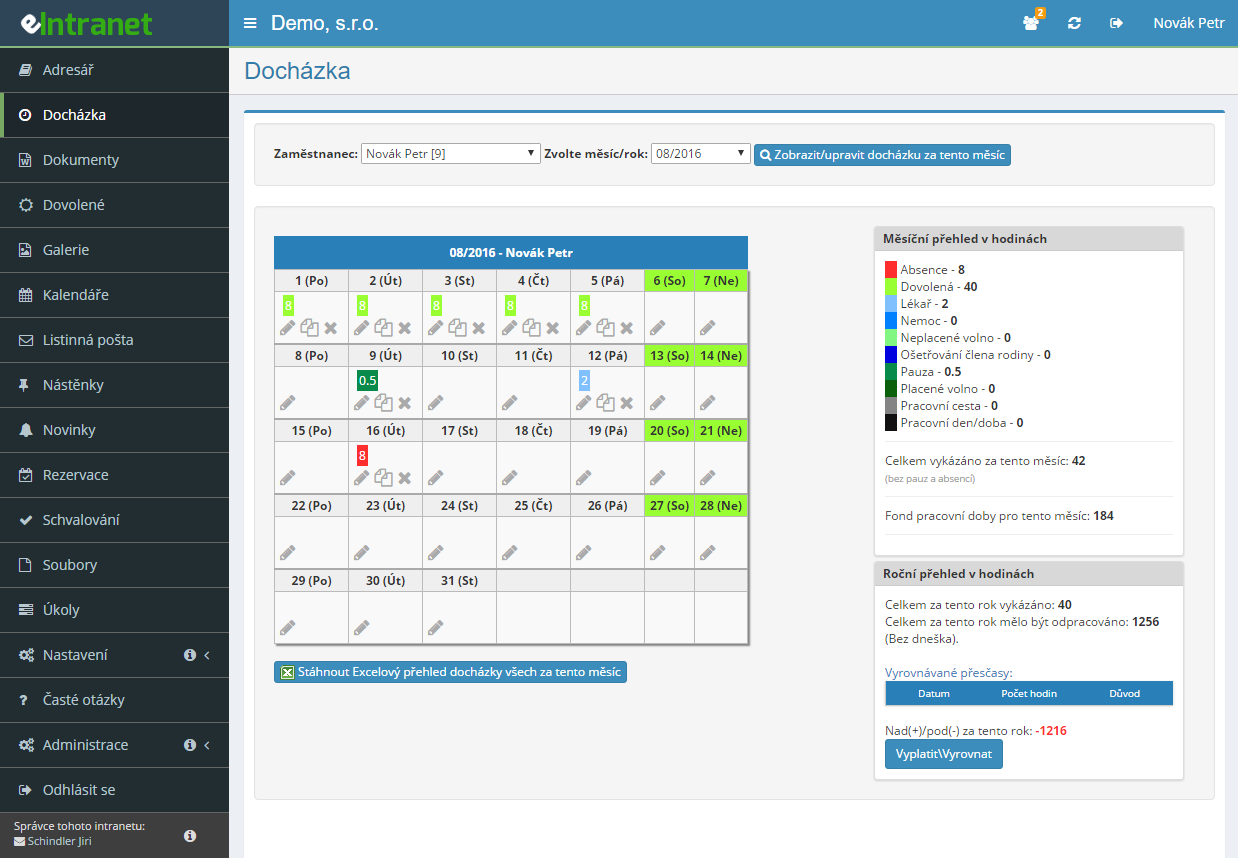
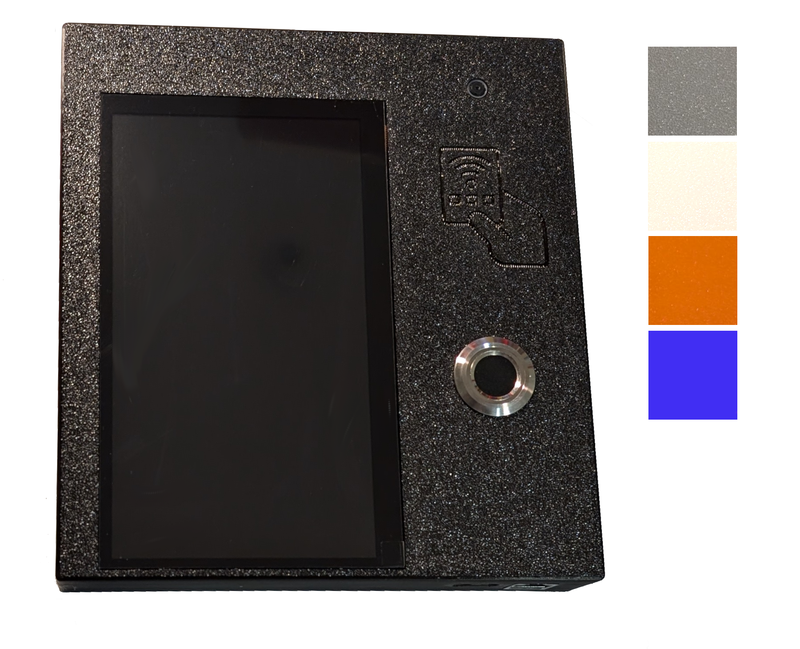
The employee taps the chip on the reader, picks arrival or departure, and the attendance is recorded. Everyone has their own security code stored in the card itself, so they never have to type anything.
Besides the chip, the terminal can verify a fingerprint. The administrator sees the registration status in the employee table as a green or red icon.
Next to arrival and departure you add buttons such as Doctor or Business trip. For each one you set how the record should close if the person forgets to come back.
The terminal takes a shot each time a chip is presented. A colleague clocking in for two people is spotted immediately.
What you can use the attendance terminal with chips and fingerprints for
-
Recording straight into the attendance register
Everything that passes the reader is stored in the Attendance module. Payroll no longer retypes a thing.
-
Minimum break length enforced
If an employee comes back early, the system automatically extends the break to the number of minutes you set.
-
Chip only, no manual corrections
Selected people can be blocked from editing attendance by hand, with exceptions such as holiday or sick leave still allowed.
-
Who is at work right now
The terminal shows a list of colleagues with names in green or red according to their current presence.
-
Clocking in from a browser when no reader is at hand
Arrival and departure buttons can appear on the dashboard after login — the answer for home office.
-
Forgotten departures get caught
At the next arrival the terminal warns, closes the previous day, and the employee sorts it out with their manager.
The price of the attendance reader for RFID cards is CZK 10,800 without VAT. The
price of the chip in the form of a plastic card is CZK 100 without VAT and in the form of a sticker or pendant is CZK 90 without VAT.
The price of the attendance reader for RFID and fingerprints is CZK 12,300 without VAT
Readers and chips are an additional service of the application – please place an order here: https://schindler.eintranet.net/OrdersRecieved/272/Create
The attendance terminal comes with a standard warranty of 24 months. In the event of closure, the attendance terminal (and any accessories – chips) remains the property of the buyer.
An administrator card is supplied with the attendance terminal, which allows the application administrator to chip individual cards/stickers or read fingerprints for other employees.
Module Time‑Tracking System allows you to record your employees’ attendance accurately and quickly using chip cards or fingerprint scanners – all integrated into eIntranet.net.
- Recording devices: Compatible terminals and chip/fingerprint readers that automatically add timestamps to the central database.
- Automatic synchronization: Attendance is reflected instantly in the HR module and accounting, eliminating manual entry and reducing errors.
- Detailed overviews and reports: Generate daily, weekly or monthly reports – easily exportable to Excel for audit or payroll purposes.
- Seamless integration: With the API, attendance is linked to other eIntranet.net modules (CRM, helpdesk), keeping data consistent across departments.
- Privacy and security: Encrypted communication and the ability to set access rights based on employee role.
Save time, reduce administrative burden, and ensure accurate attendance – try Time‑Tracking System in eIntranet.net today!
Frequently asked questions
It depends on how you want to record. The simplest option needs no hardware at all: once the option to show Arrival and Departure buttons on the dashboard is switched on, people clock in straight from the browser after logging in.
If you want a terminal at the entrance, you need an attendance device and chips for the employees. The reader can also be an ordinary phone or tablet with NFC — the entry runs through an address you copy from the user's settings.
The pricing of the terminals and chips outside the Czech market is quoted individually, so ask us for an offer. In the Czech Republic there are two variants: a device with RFID cards and a device with RFID plus a fingerprint reader.
Either way it is a one-off purchase, not a monthly fee. The software is paid separately according to the plan, per user and month; the chip module is part of every plan.
The system does not calculate the record for them. If more than 18 hours have passed since the last arrival, the terminal records nothing and states that you evidently forgot to clock out. A calculated time would be an invention, so the system deliberately avoids it.
If you switch on the option to warn about and close the previous day's attendance, the terminal shows a red warning at the next arrival, closes the earlier record, and the employee agrees the correct time with their manager in the Attendance module.
It depends on the setting. On the User rights tab you can tick the option to prevent editing of working time in attendance for a specific employee, after which they may only record through the chip or the fingerprint reader.
A button on the same row then lets you pick the attendance types they may still enter by hand — usually holiday and sick leave. Skip that second step and the requests will start arriving by e-mail.
Yes. In the module settings, on the tab with permitted buttons, you add a button and pick an attendance type — only types intended for chip devices and not yet added are offered. The new button is available on the terminal immediately.
For each button also choose the automatic closing method: fill up to the daily contracted hours, close at a fixed time, or a fixed length in minutes. Otherwise open records will hang around.
Yes, if you configure it. On the User rights tab you enter a minimum break length in minutes for a specific employee. If they return sooner, the system automatically extends the break to that value.
An empty field or a zero means the break is not policed for that person. You can optionally also switch on automatic recording of the break as a separate entry whenever somebody returns on the same day.
Yes, once the option to display other people's status on the reader is switched on. The terminal then shows a list of everyone with a chip or a fingerprint: a green name means present, a red one absent.
Somebody counts as present if they recorded an arrival within the last 16 hours. Each name also carries the time of the last action and the attendance type, if a special button was used.
Yes. In the module settings you switch on the option to take a photo when attendance is recorded at the terminal. Every time a chip or a finger is presented, the device then takes a shot, which works against the use of other people's cards.
The function requires a terminal fitted with a camera. The photos are available to administrators alongside the relevant attendance record.
Yes. On the tab with permitted IP addresses you tick the filtering option and list the addresses the terminal may report from. An entry from any other address is refused with a message about access from an unauthorised address.
Take care when switching it on: if you do not list every device address employees clock in from, recording will stop working for them. An overview of registered readers, including the time of the last communication, is on a separate tab.
All records, from the terminal and from the dashboard buttons alike, are stored in the Attendance module. Each keeps the arrival time, the departure time, the working time type and the IP address of the device it came from.
From there the data continues into the payroll systems PAMICA, Money S3 and VEMA PAM F90, and into the Excel timesheet for the labour inspectorate. The chip module itself exports nothing; it is the entrance gate.
Registration is non-binding and includes a free 14-day trial of the application.