
Chat
Keep company communication in one place


 Help
Help
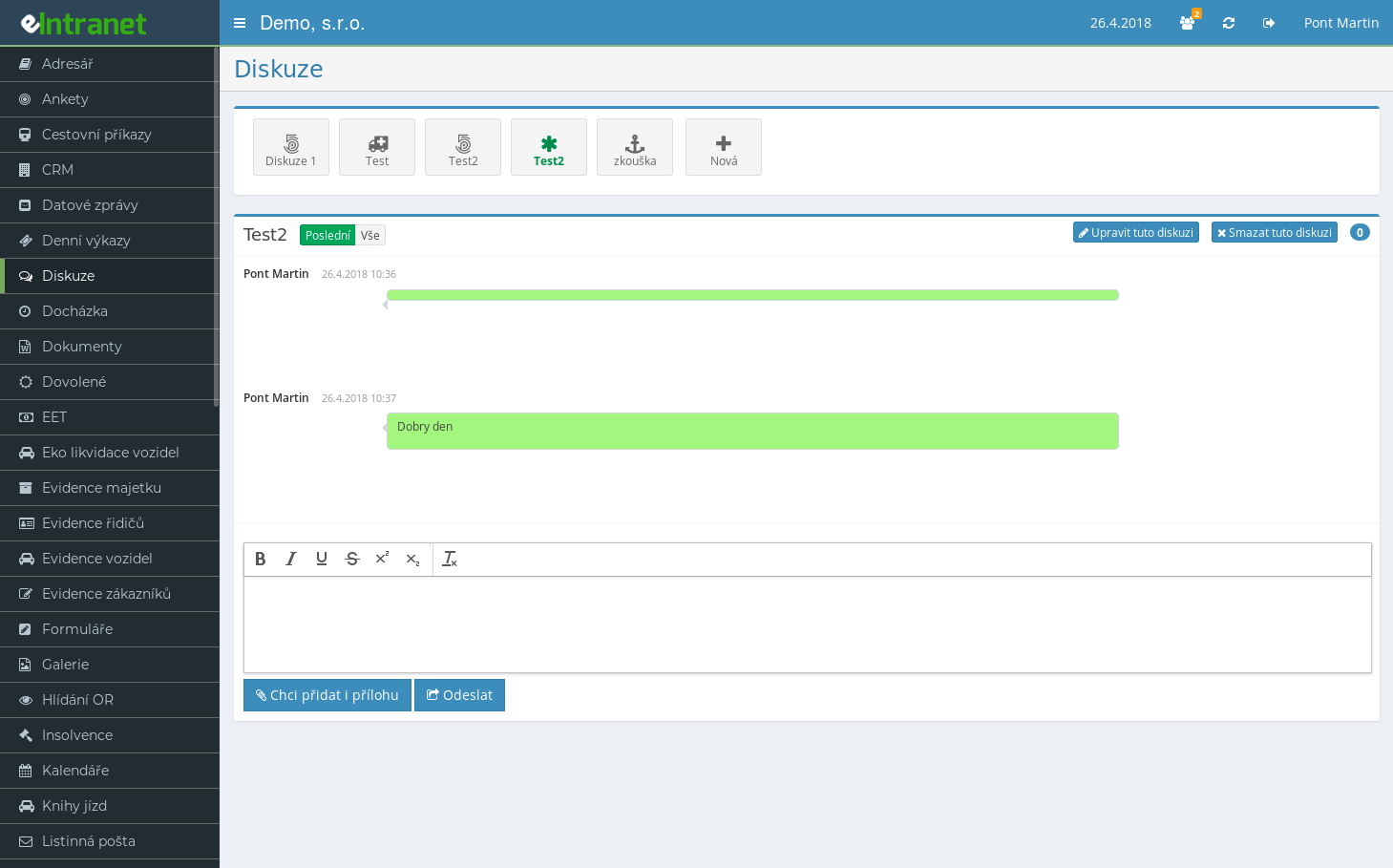
Chat connects colleagues right inside eIntranet, so you settle a question before you would even open an e-mail. Message one person or a whole group, and every reply lands within moments.
Start a group discussion for an entire team, department or project. Need a private word? Just click a colleague's name in the side panel and you are writing to them alone.
Attach documents, photos or spreadsheets by simply dragging them onto a message. The files stay with the conversation they belong to, instead of getting lost in your inbox.
A red badge next to a name shows how many messages are waiting. The view refreshes on its own, so new posts appear without reloading the page by hand.
What you can use chat in eIntranet for
-
Discussions for a team or the whole company
Set up a conversation for a handful of people, or open a topic to every user, including those who join later on.
-
Organised into groups and subgroups
Sort discussions by department or project across two levels. Even with dozens of conversations, finding your way stays effortless.
-
Access rights under control
You decide who may read a discussion, post in it, create their own or manage them all. Sensitive topics stay among the people you choose.
-
Search through the history
Every message is stored, so you can return to agreements even months later. Type a word and you land on the exact part of the conversation you need.
-
Custom icons for discussions
Give each discussion its own icon so you recognise it in the list at a glance.
-
Generous attachment limits
Add up to 60 files to a single message, each up to 100 MB. Larger materials travel straight inside the conversation.
Online discussions within the corporate intranet is an integrated tool that elevates team communication to a higher level. It enables quick sharing of ideas, problem solving, and knowledge exchange directly in your eIntranet.net environment.
- Create discussions on demand: Set up topics for departments, projects or strategic planning and tailor them to user requirements.
- Set access permissions: Restrict discussion visibility to specific groups or roles – securing sensitive information while fostering open collaboration.
- Fast response and notifications: Automatic alerts to users on new posts increase engagement by 30 % and reduce the time needed to resolve inquiries.
- Show history and context: Every discussion is archived, facilitating decision review and supporting the company’s knowledge base.
- Simplified interface: Accessible from mobile or desktop devices without the need for extra applications.
Try the discussion module today and elevate corporate communication to a new level – more efficiently, securely, and clearly. Click here for a demo!
Frequently asked questions
Yes, clicking on the "New Bulk" button will create a discussion of multiple eIntranet users.
Registration is non-binding and includes a free 14-day trial of the application.